Kiribari
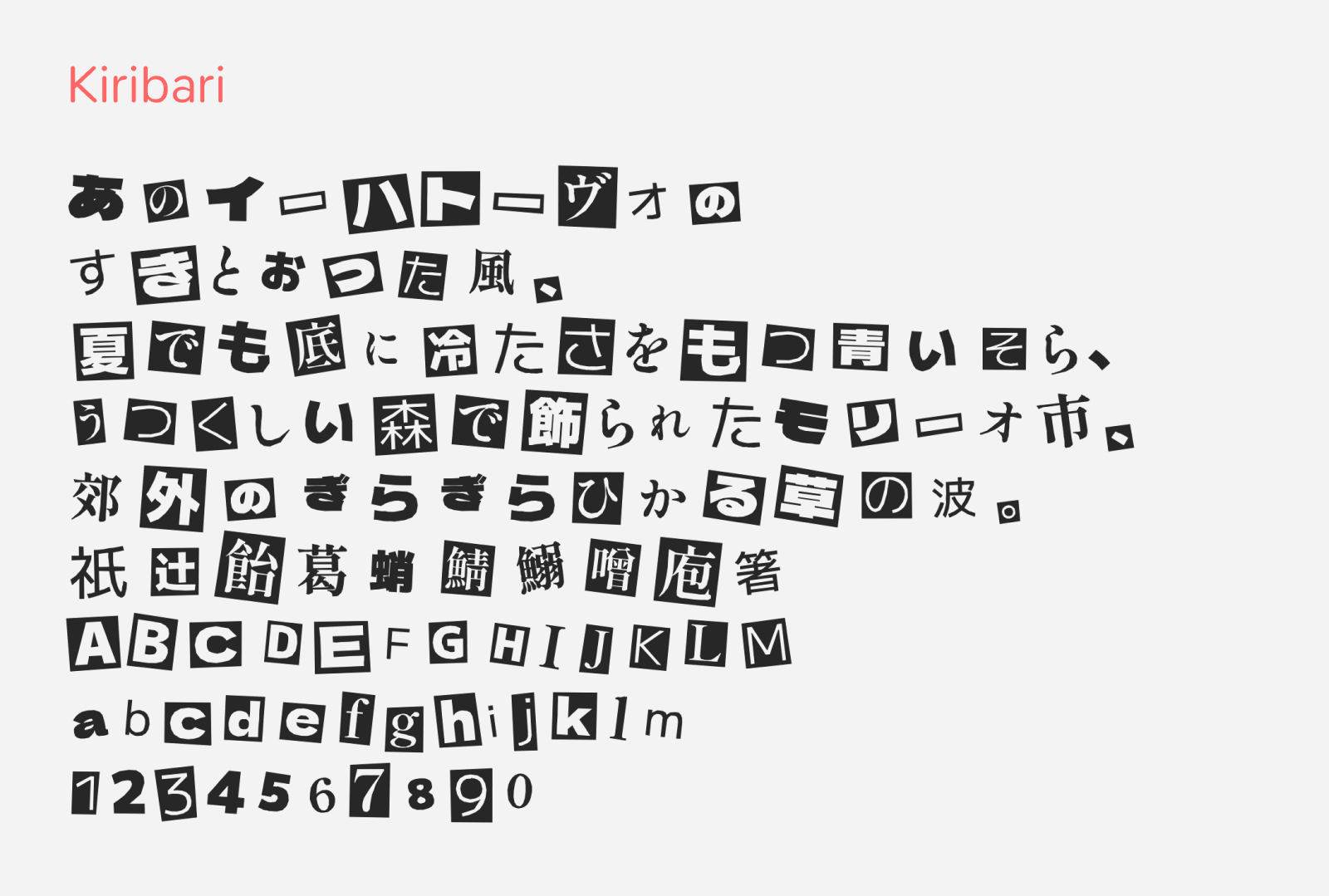
Kiribari (キリバリ) is a free Japanese display font that looks like a ransom-note collage, as if every character had been clipped from a different magazine and pasted down one by one. The name comes from kiri-bari, Japanese for “cut and paste.” It was created by Yatai Eureka (屋台えうれか) and built this free font by mixing three open-source typefaces: M PLUS 1, Dela Gothic One, and Shippori Mincho. This font mashes all these three fonts by random, each with different angles and some with the cut-out effects and some without, creating this rich variety of ransom note effect, so a line of text never looks uniform. Besides that, identical characters placed side by side also change their form, which keeps the collage feel convincing instead of obviously repeating. This feature needs an app that supports OpenType contextual alternates (calt). The color handling is clever too: card characters take the text color and the cut-out letters show the background color, so you can try out color combinations freely.
The font comes in two versions. Kiribari includes the magazine paper cut-out effects, while Kiribari Suashi (キリバリ スアシ) drops the cards and shows only the bare letters. Not only that, each version ships with two extra files, “Koma 2” and “Koma 3” (コマ2 / コマ3), which differ only in how the characters wobble. Using video editor to cycle through the three font files would create the interesting jitter effect, great for text overlays for video titles and animated graphics. It covers hiragana, katakana, 5,299 kanji (all of JIS Level 1 and part of JIS Level 2), alphanumerics, and symbols. This font is free to download and be used on commercial projects, as it is released under the SIL Open Font License 1.1.
Usage Permission
- Free for both personal and commercial use.
- Released under the SIL Open Font License 1.1.
- Accreditation is optional, though it will be appreciated by the designer.
- The font files cannot be sold on their own.
Link
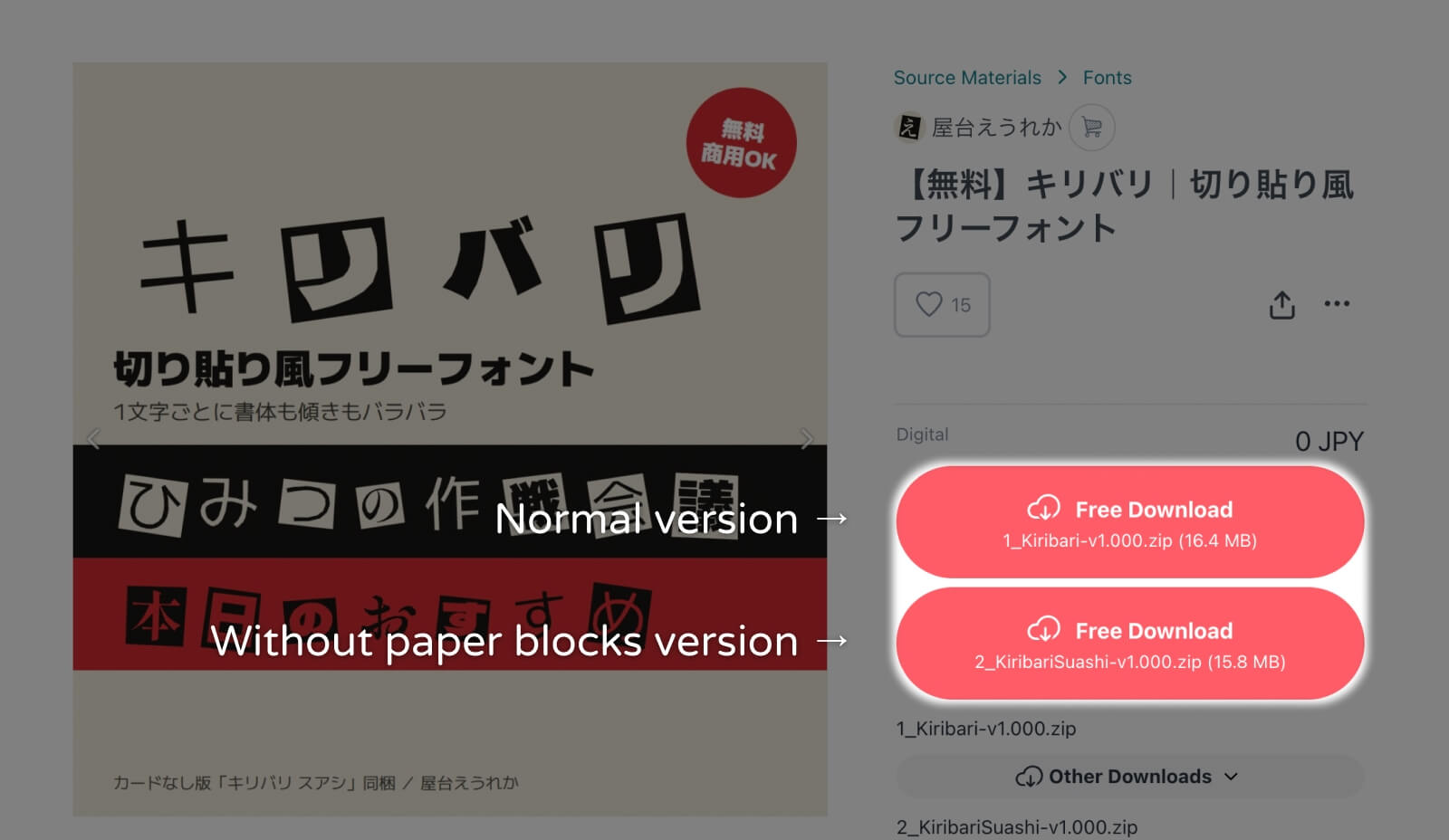
To download, visit the link above and you’ll see big Free Download button as highlighted in the image below. Choose which version you would like to have as labeled in the image. You’ll need to register an account in order to download the font, but it’s pretty simple to do so. Once installed, you can select this font in your writing or design tools under the family name “Kiribari”.
Supported characters
- Hiragana and Katakana
- Kanji (JIS Level 1 + partial Level 2)
- Alphanumerics
- Symbols and Punctuations